

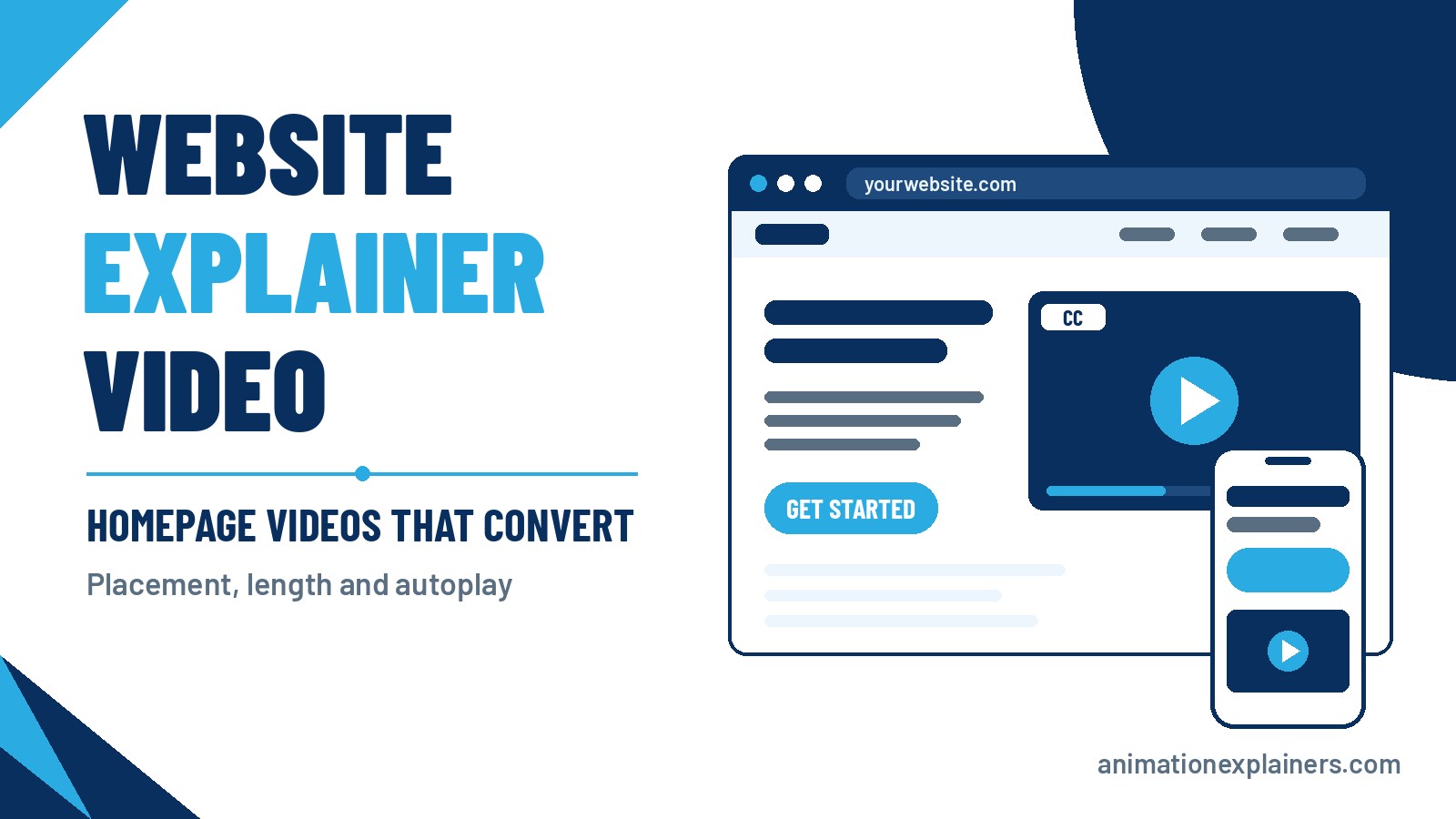
Website Explainer Videos: Homepage Videos That Convert
Most company websites have a video somewhere. Far fewer have one that earns its place. It sits three screens down the page, blasts audio at a visitor on a train, runs for four minutes or opens with a logo animation nobody asked for. Then the team decides “video doesn’t work for us”.
A website explainer video is a short film that sits on a key page and explains what you do, who it’s for and what to do next. Done well, it’s the fastest way to get a stranger from “what is this?” to “I get it, how do I start?”.
This guide covers the strategy side: where to place the video, how long it should run, whether it should autoplay, how to build the page around it and how to tell if it’s working. For the technical steps of getting a player onto a page, we have a separate guide to embedding video into your content.
Website explainer video at a glance
Put one 60 to 90 second explainer beside or just under your homepage headline, next to a clear call to action. Make it click-to-play with a strong poster frame and captions, never autoplay with sound, and keep the written answer on the page for visitors who won't press play.
| Decision | Our default | Why |
| Placement | Beside or just under the hero headline | The visitor sees what the page is about before choosing to watch |
| Length | 60 to 90 seconds on a homepage | Room for the problem, the solution, how it works and one next step |
| Autoplay | Click-to-play; a muted loop only if nothing needs saying | Sound nobody asked for loses visitors, and browsers restrict it anyway |
| Sound | Design for silent viewing: captions or on-screen text | People watch at work, on trains and in meetings |
| Call to action | One button, worded like the last line of the video | Gives interest somewhere to go |
| Videos per page | One main video | Two competing players split attention |
| Page weight | Poster image first, player loaded on demand | Video should never be what slows your page down |
What is a website explainer video?
It’s a short video, usually animated, placed on a page of your own site to explain your product or service quickly. You’ll hear it called a website intro video, a homepage explainer video or a website promo video. The names overlap, but the jobs differ slightly:
- Explainer: teaches the viewer what you do and how it works. This is the one that earns its place on a homepage.
- Intro or welcome video: a first impression, often a person speaking to camera. Fine, but it has to explain something too.
- Promo video: brand-led and more persuasive than informative. Better on campaign pages and social than as your only homepage film.
- Background loop: a silent, decorative clip behind the headline. It sets a mood but explains nothing, so it doesn’t replace any of the above.
Our guide to what an explainer video is covers the format in more depth. A video sales letter is a different animal again: a longer, persuasion-led film built around one offer.
Does your website need an explainer video?
Often, but not always. A video earns its place when the page has a job it can't do in a headline.
It tends to help when:
- the product is abstract or technical (software, data, security, finance, medical)
- the buying process has several steps a visitor needs to picture
- much of your traffic is cold: new visitors from search or ads who’ve never heard of you
- the written page is already long and a minute of film could replace a scroll of explanation
It’s less useful when your offer is obvious in one sentence, when the page has no clear next step, or when the video would simply repeat a headline that already works. A video won’t rescue an unclear page, and it isn’t automatically a win. Treat it as something to test against the same page without it.
Where to put a website explainer video
Placement comes down to one idea: put the video where the visitor's question is. Here’s how that plays out page by page.
On the homepage: beside or just under the headline
The homepage visitor’s question is “what is this and is it for me?”. Answer it with a headline and sub-headline in text, then give the video the space next to them, with the call to action nearby. On wide screens that means a two-column hero, with copy on the left and the player on the right. Visitors who skim read the headline; visitors who want more press play.
Some pages work better with the video one section down, after a short written opening. If your hero is already crowded, that’s fine. What matters is that the video isn’t buried below the testimonials and the footer links.
On service and product pages: next to the thing it explains
A video on a product page should explain that product, not repeat the company pitch. Put it beside the section that describes the product, and keep it focused: one problem, one solution, one next step. For shops, our e-commerce video guide covers the product-led version.
On landing pages: match the ad
Paid visitors arrive with a promise from the ad they clicked. The video should keep that promise in its first seconds and sit next to the form or button, not push it off screen. Landing pages usually want a tighter cut than your homepage film.
On pricing and contact pages: answer the last doubt
By now the visitor is nearly ready. A short video here shouldn’t re-explain the company. It should remove the last doubt: what happens after they enquire, what working with you looks like, or how a project runs. Put it beside the enquiry form or the plans, not above them.
Where not to put it
- a pop-up that appears on page load
- a full-width player that pushes the headline and button below the fold on a phone
- several videos stacked on one page, each fighting for the click
- a page with no call to action nearby
On mobile, the order that works is headline, button, then video. The visitor can act without watching, and watch without losing the action.
How long should a website explainer video be?
Short enough to hold a cold viewer, long enough to explain something. For most homepages that’s 60 to 90 seconds. Our guide to how long an explainer video should be goes into the reasoning: the colder the viewer, the shorter the cut.
| Where it sits | Typical length | Its job |
| Homepage | 60 to 90 seconds | Explain what you do, for whom and how it works |
| Paid landing page | 45 to 90 seconds | Keep the ad’s promise and push to the form |
| Service or product page | 60 to 120 seconds | Show how this one offer works |
| Pricing or contact page | Under a minute | Remove the last doubt |
| Hero background loop | A few seconds, looped, silent | Set a mood (it explains nothing) |
A 30-second explainer is a great cut for paid social, retargeting and landing-page heroes. On a homepage it only works for a simple offer, so many brands make a longer master film and cut a 30-second version from it.
Here are two real examples from our own channel, at either end of that range. The first runs about a minute and a half, the right territory for a homepage. The second is under 50 seconds, the kind of tighter cut that suits a landing page.
Should a website video autoplay?
Short answer: not with sound, and rarely at all. There are three cases.
Autoplay with sound: no
Visitors didn’t ask for it, and the experience of hunting through open tabs for the one that’s shouting is one every browser user knows. Browsers have also tightened their rules. Chrome, for example, always allows muted autoplay but restricts autoplay with sound until the visitor has interacted with the site, so a sound-on autoplay often won’t even start.
Muted looping background: yes, with care
If the video is purely atmospheric, a short, silent, lightweight loop is fine. Because it moves without being asked, give visitors a way to pause or hide it. Accessibility guidance covers this directly: moving content that starts automatically and lasts more than five seconds alongside other content needs a pause, stop or hide control. Don’t use a loop to carry your message, because it can’t.
A narrated explainer: click-to-play
This is the default. Show a poster frame that explains something on its own, add a clear play button and let the visitor decide. A click is a useful signal: they wanted to watch, and you can measure it. If you do choose muted autoplay for an explainer, burn in captions or on-screen text so it makes sense without sound, and make the unmute and pause controls obvious.
What goes into a homepage explainer: the 60 to 90 second structure
A website explainer isn’t a corporate history. It’s a short answer to one question, usually “what do you do and why should I care?”. This structure works for most B2B and tech homepages:
- Hook. Open on the viewer’s situation, in their words, within the first few seconds. No logo animation, no “welcome to our company”.
- Problem. Name the frustration or cost they recognise. Keep it brief, because they already know it.
- Solution. Introduce your product or service as the answer, in one clear sentence.
- How it works. Walk through two or three steps, the way you’d explain it to a smart colleague. This is where animation earns its keep, because it can show what a camera can’t.
- Proof. One credible reason to believe you: a result, a recognisable use case or a customer type. Keep it qualitative unless you can show a real number.
- Next step. One call to action, worded the same way as the button beside the player.
Write it to be heard and seen. If the screen would be understood with the sound off, you’re close. Our guides to writing a video script and the storyboard stage show how to turn those beats into a film.
Build the page around the video
A great video on a weak page still underperforms. These are the details that make the difference:
- Keep the headline and button as text. Search engines and screen readers read text, and the page must make sense for anyone who doesn’t press play.
- Choose a poster frame that explains something. A frozen frame of a blurred logo is a wasted click. Show the problem, the product or a phrase that tells the visitor what they’ll learn.
- Add captions or on-screen text. Many visitors watch without sound, and captions help everyone who can’t listen.
- Put one call to action next to the player. Match its wording to the end of the film.
- Add a two-line written summary. Skimmers get the gist, and the page keeps its meaning if the player doesn’t load.
- Load the player on demand. Use the poster image first and load the player when it’s needed, so the film doesn’t hold up the rest of the page. Page speed is part of the experience, and a slow player costs you the visitors you were trying to convert. Google’s guidance on Largest Contentful Paint explains why heavy elements at the top of a page matter.
- Check it on a phone. Make sure the player doesn’t push the headline and button out of view.
- Make it keyboard-friendly. Visible controls, a labelled play button and captions you can turn on.
For the how-to of adding a player to a page, including the WordPress auto-embed route and the HTML embed route, use our embedding guide.
Animated, live action or hybrid for a website film?
For a homepage explainer, the question is what the viewer needs to understand. If they need to see an abstract product, a process or a data flow, animation usually does it more clearly, and it’s easier to update when your product changes. If the point is a human face and trust, live action or a hybrid can be the better fit. We’ve written a full comparison in live action vs animation.
How to tell if your website video is working
A video you don’t measure is a guess. Track a handful of things, and keep the numbers honest:
- Play rate: the share of page visitors who press play. A low rate usually points to the poster frame, the placement or the surrounding copy, not the film itself.
- Watch time and drop-off: where viewers leave. If most go in the first ten seconds, rework the opening.
- Clicks after play: do viewers go on to the button?
- Enquiries or sign-ups from the page: the number that actually matters.
- A with-and-without test: show the page with the video to half your traffic and without it to the other half, and compare enquiries.
One caution: visitors who watch the video tend to be the more interested ones, so “people who watched convert better” doesn’t prove the video caused it. The with-and-without test does. Change one thing at a time (placement, poster frame or length) so you know what moved the result.
Common mistakes that sink website videos
| Mistake | What to do instead |
| Autoplay with sound | Click-to-play, or a muted loop with a pause control |
| Opening with a logo or “welcome to” | Open on the viewer’s problem |
| Burying the video at the bottom of the page | Place it beside the headline or the section it explains |
| A 3-minute company history | 60 to 90 seconds on one question |
| Relying on the video to carry the whole message | Keep the headline, summary and button as text |
| A blurred or default poster frame | A frame that explains something |
| No call to action next to the player | One button, matched to the film’s last line |
| Never checking mobile or speed | Test on a phone and load the player on demand |
What a website explainer video costs and how long it takes
At Animation Explainers, projects typically range from $6,000 to $35,000 and beyond, depending on length, style and complexity. Our cost guide explains what moves the price. A typical 60 to 90 second animated explainer takes about 4 to 6 weeks from kick-off to final delivery. The production process walks through each stage.
You get three rounds of revisions, one at each stage, and you own the rights to your finished video. If you’re comparing quotes, our guide to choosing an explainer video company lists the questions to ask.
Ready for a homepage video that earns its place?
We make explainer videos for B2B and tech brands, and we’ll tell you honestly if a video isn’t the right move for your page yet. Browse our portfolio or the explainer video examples, then get in touch to talk through the page you want it on. You can also start from our homepage to see how we explain what we do.
FAQ
What is a website explainer video?
A website explainer video is a short video, usually animated, placed on a page of your own site to explain what you do, who it's for and what to do next. It’s also called a website intro video, homepage explainer video or website promo video. Most run 60 to 90 seconds.
Where should an explainer video go on a website?
Beside or just under the homepage headline, next to a call to action is the default. On other pages, put it next to the section it explains: a product video beside the product, a landing-page video beside the form. On mobile, use the order headline, button, then video.
How long should a website explainer video be?
About 60 to 90 seconds on a homepage, 45 to 90 on a paid landing page, and 60 to 120 on a product or service page. The colder the visitor, the shorter the cut. Our guide to explainer video length has the reasoning.
Should a website video autoplay?
Not with sound. Browsers restrict it and visitors dislike it. A short, silent, muted loop is fine as decoration if visitors can pause it. A narrated explainer should be click-to-play with a strong poster frame and captions.
What’s the difference between a website intro video, explainer and promo video?
An explainer teaches, an intro welcomes and a promo persuades. On a homepage, the explainer usually does the most work because it answers “what do you do?”. An intro or promo can work too, as long as it explains something within the first few seconds.
Will a video slow my website down?
It can, if it's loaded badly. Show a lightweight poster image first and load the player when it’s needed, instead of loading a full player at the top of the page. Test the page on a phone and check your page speed before and after you add the video.
How do I add an explainer video to my website?
Upload the film to a video platform or your own hosting, then embed it with your site’s auto-embed or an HTML embed. Our embedding guide walks through both routes, including WordPress.
How much does a website explainer video cost?
Animation Explainers projects typically range from $6,000 to $35,000 and beyond, depending on length, style and complexity. A typical 60 to 90 second animated explainer takes about 4 to 6 weeks. You get three rounds of revisions, one per stage, and you own the finished video.

What is a website explainer video?
A website explainer video is a short video, usually animated, placed on a page of your own site to explain what you do, who it’s for and what to do next. It’s also called a website intro video, homepage explainer video or website promo video. Most run 60 to 90 seconds.
Where should an explainer video go on a website?
Beside or just under the homepage headline, next to a call to action is the default. On other pages, put it next to the section it explains: a product video beside the product, a landing-page video beside the form. On mobile, use the order headline, button, then video.
How long should a website explainer video be?
About 60 to 90 seconds on a homepage, 45 to 90 on a paid landing page, and 60 to 120 on a product or service page. The colder the visitor, the shorter the cut. Our guide to explainer video length has the reasoning.
Should a website video autoplay?
Not with sound. Browsers restrict it and visitors dislike it. A short, silent, muted loop is fine as decoration if visitors can pause it. A narrated explainer should be click-to-play with a strong poster frame and captions.
What’s the difference between a website intro video, explainer and promo video?
An explainer teaches, an intro welcomes and a promo persuades. On a homepage, the explainer usually does the most work because it answers “what do you do?”. An intro or promo can work too, as long as it explains something within the first few seconds.
Will a video slow my website down?
It can, if it’s loaded badly. Show a lightweight poster image first and load the player when it’s needed, instead of loading a full player at the top of the page. Test the page on a phone and check your page speed before and after you add the video.
How do I add an explainer video to my website?
Upload the film to a video platform or your own hosting, then embed it with your site’s auto-embed or an HTML embed. Our embedding guide walks through both routes, including WordPress.
How much does a website explainer video cost?
Animation Explainers projects typically range from $6,000 to $35,000 and beyond, depending on length, style and complexity. A typical 60 to 90 second animated explainer takes about 4 to 6 weeks. You get three rounds of revisions, one per stage, and you own the finished video.